Entities
Entities
4. Creating our first Entity
In the overview chapter, we took a look at the TaskItem structure:
/// A representation of a task.
struct TaskItem {

	/// The title of the task.
	let title: String

	/// An optional subtitle associated with the task.
	let subtitle: String?

	/// Specifies whether the task is completed or not.
	let isCompleted: Bool
}
In order to persist this data, we must create a Core Data entity with the same properties. Start by tapping the Add Entity button at the bottom of the screen:
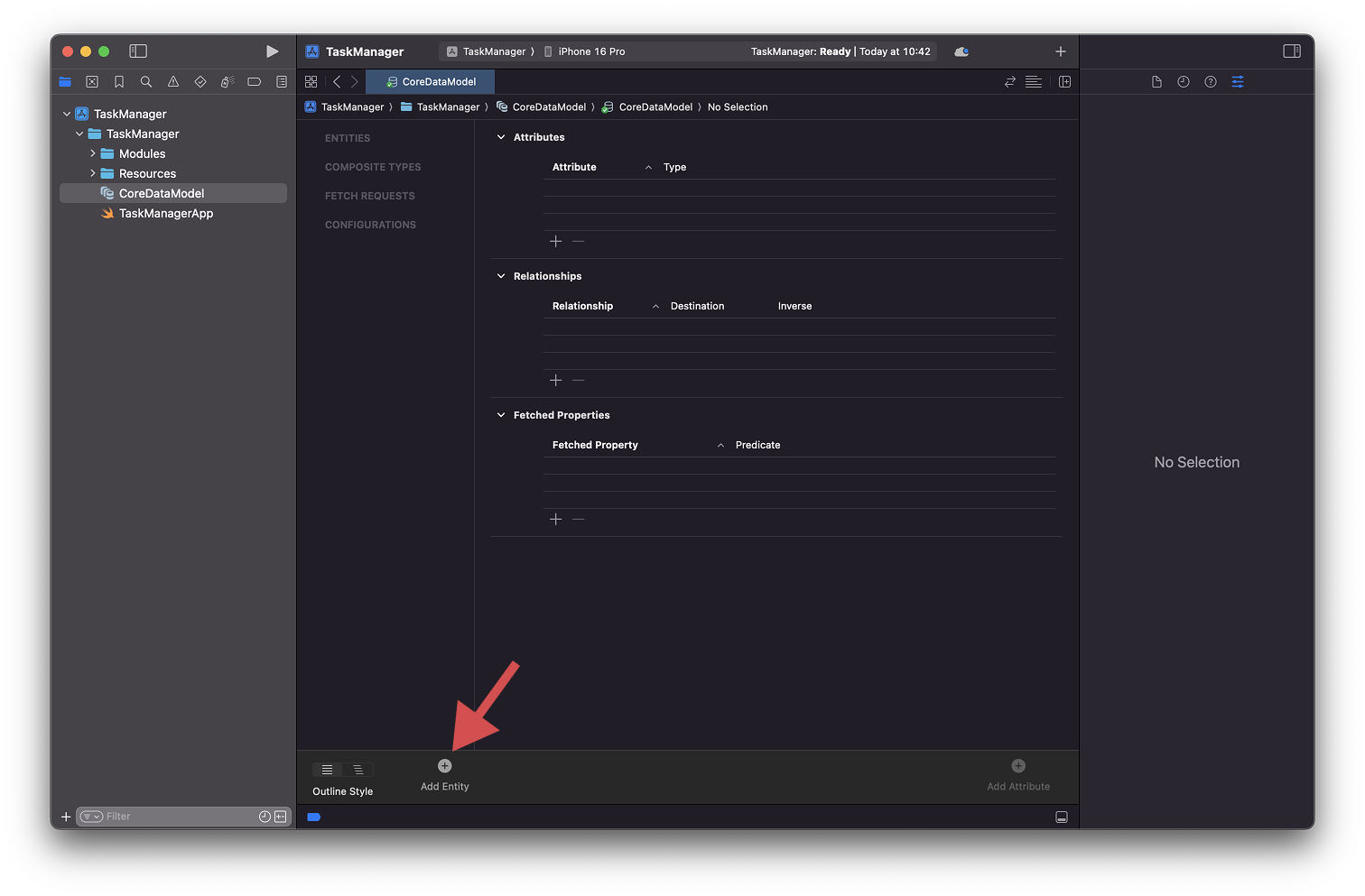
This will create a new entity, which will be visible on the left side of the model editor. I like to differentiate between TaskItem and my Core Data entity by adding a “Stored” prefix - StoredTaskItem.
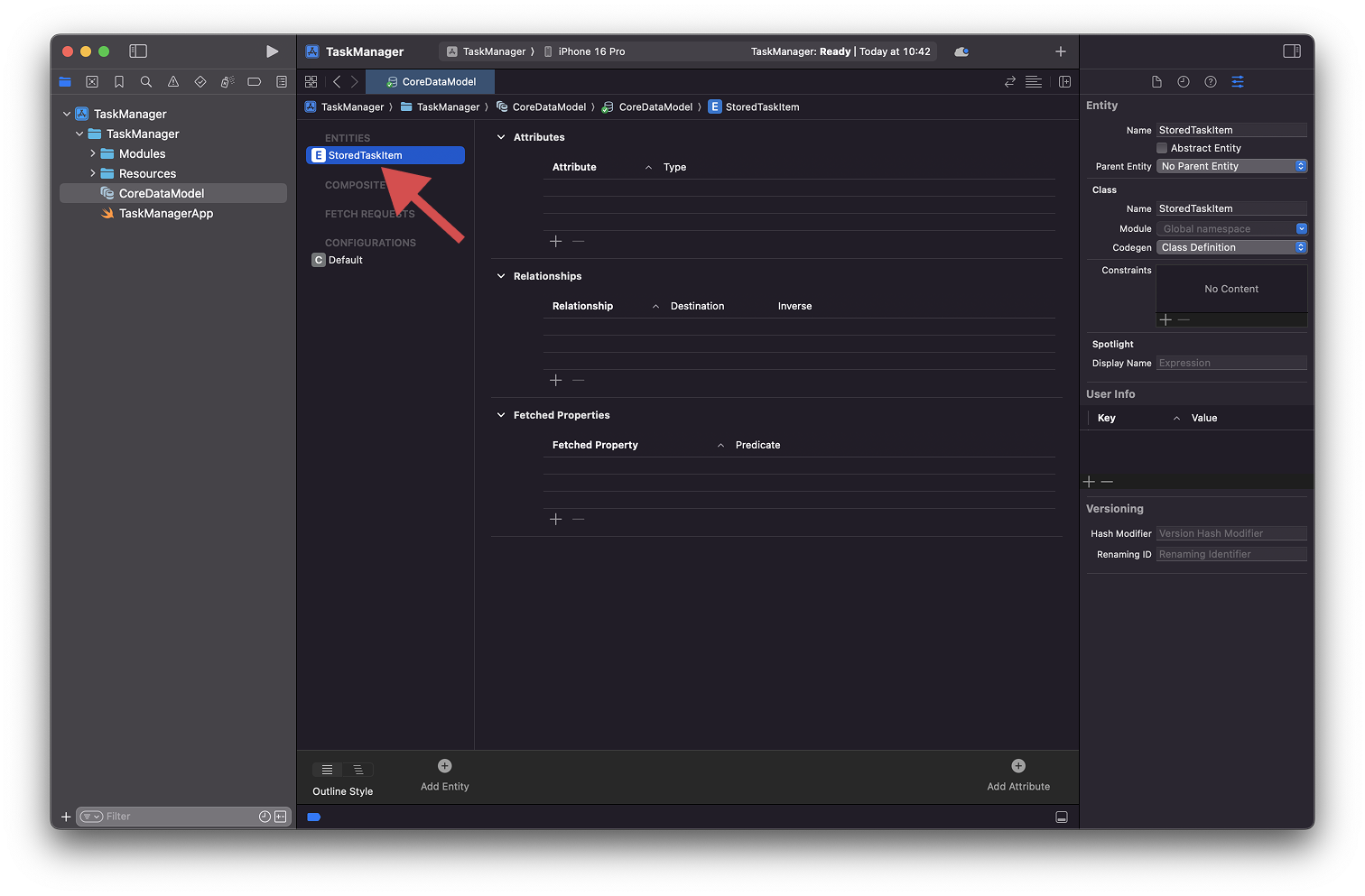
With our entity created, let’s add the necessary attributes.
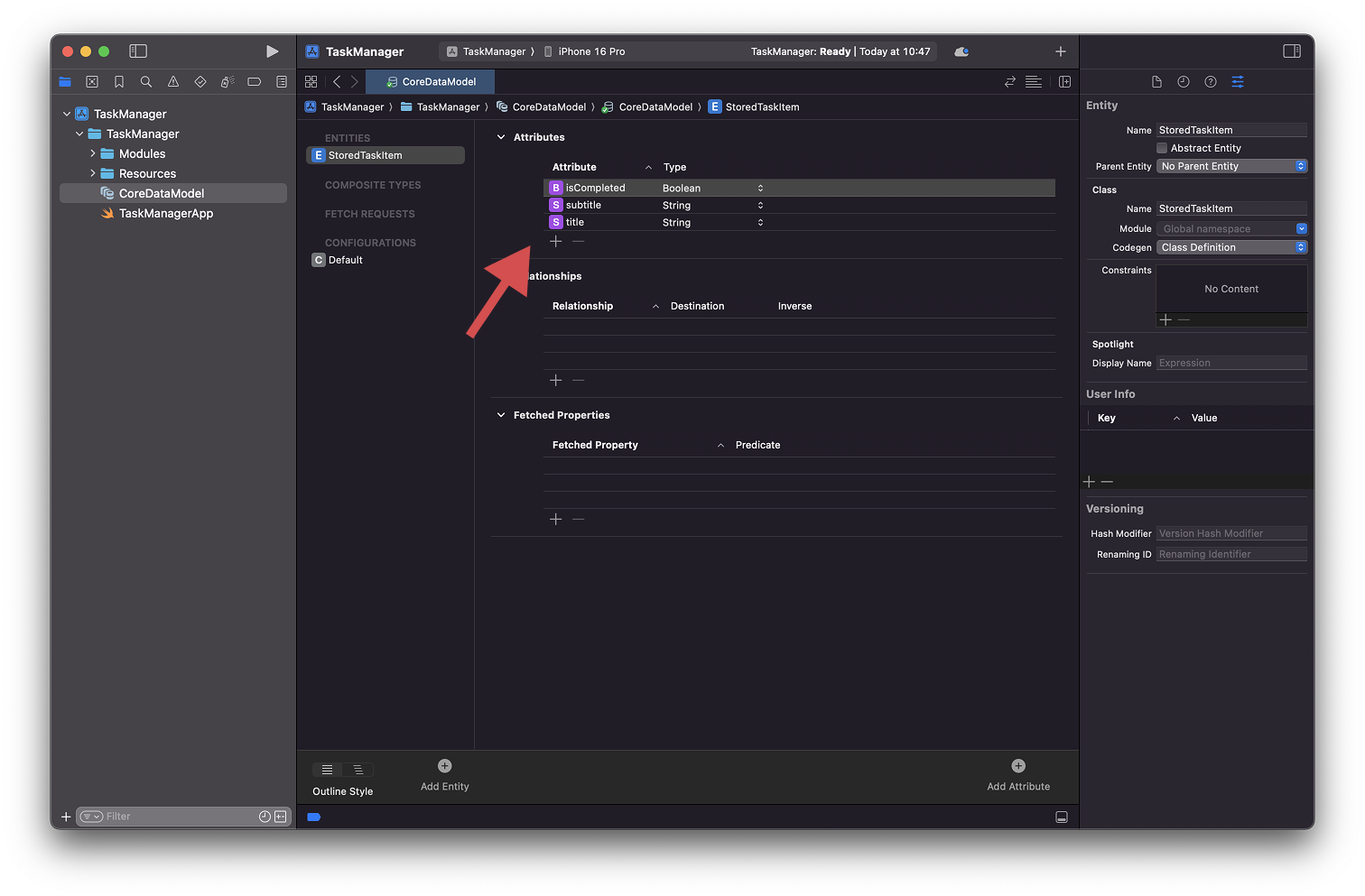
We created the same attributes as our structure and assigned to appropriate type:
isCompleted: a property of typeBoolean;subtitle: a property of typeString;title: a property of typeString;
Finally, since we know that title and isCompleted are both required properties, we should uncheck the Optional property from both:
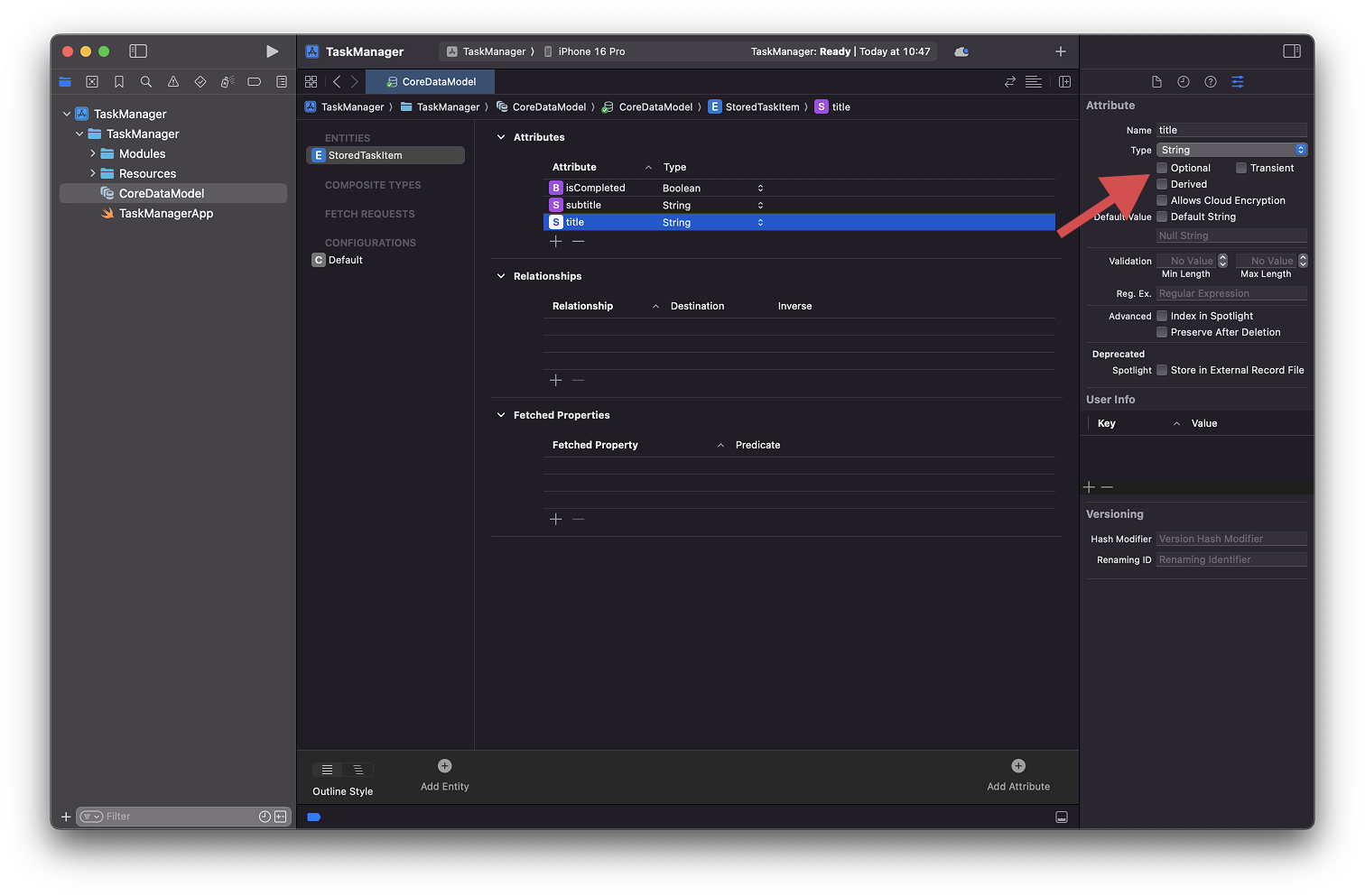
With this in mind, our basic entity structure is done. Our next step is to initialize Core Data and use our newly created entity in code.